
Difference: PatternSkin ( vs. 1)
Revision 1
26 Aug 2011 - Main.ProjectContributor
<--
Pattern skinPattern skin provides a CSS based default look and feel - flexible and W3C compliant. Its layout and color scheme are designed to provide a nice, clean and productive editing environment Select a theme to change the look, or tune the entire appearance with CSS or templates.Page contents
Browse available themesYou may quickly change the appearance of this skin by setting a theme.Browse themesPattern skin has quite some flexibility out of the box. Try one of the provided themes or use them as inspiration for your own theme.<-- Do you want to keep these settings?
Other styling options
<--
ScreenshotClick to enlarge: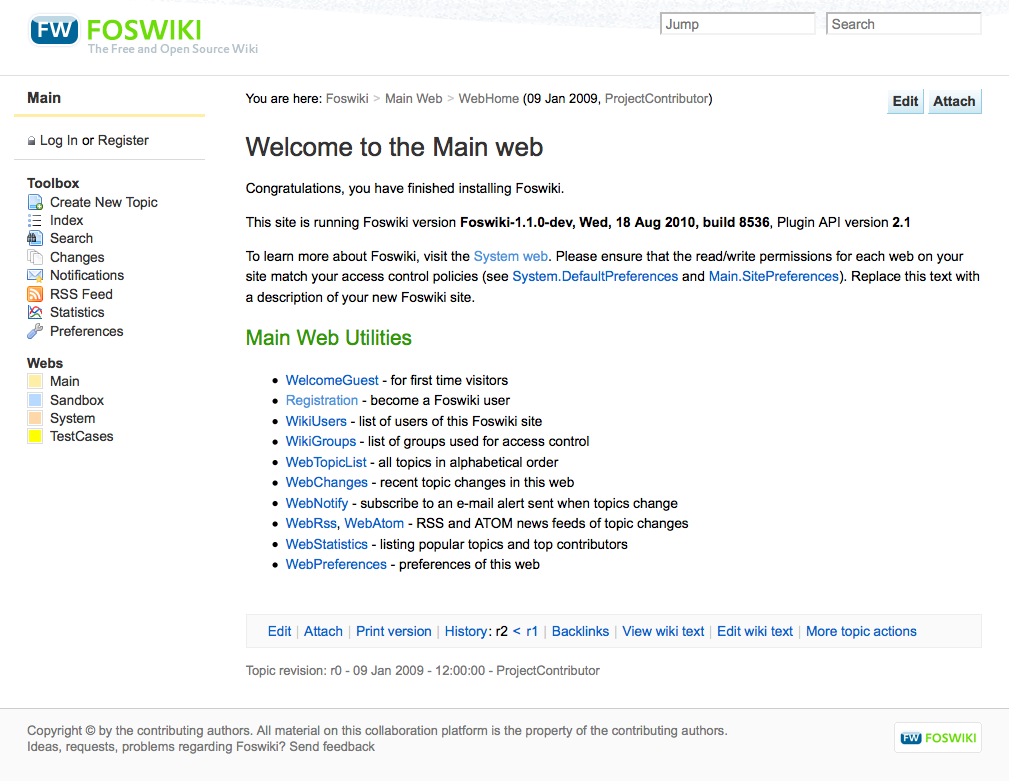
Click to view full screenshot
Information for site administratorsCreating your own lookIf you want to make more changes than the themes on this page allow, you have the option to change CSS files and templates to make changes (small or large).Template customizationPatternSkinCustomization - how to configure page elements.Style sheet customizationPatternSkinCssCookbook - how to customize the visual style.Changing graphicsThe original Photoshop files of the skin graphics (mainly background images) are attached to PatternSkinGraphics.Top, Bottom and Left Bar customizationMost will customise top, bottom, and left bars.
Installation
Upgrade notice for Foswiki 1.0 users
Add
Note: You do not need to install anything on the browser to use this skin. The following instructions are for the administrator who installs the skin on the server where Foswiki is running.
Note 2: PatternSkin is included with Foswiki by default. Use the following instructions only if you are upgrading PatternSkin.
pattern01x00 to your skin path, like this:
* Set SKIN = pattern01x00,pattern
TroubleshootingIf you have set the SKIN setting topattern and you still don't see the layout as on the screenshot, a few settings in may have been disabled.
Check these preference settings here:
FOSWIKI_LAYOUT_URL or FOSWIKI_STYLE_URL don't give a value or point to non-existing files, check in DefaultPreferences and in SitePreferences that the following preferences do exist and that they are set to on:
   * %SYSTEMWEB%.PatternSkin settings:
      * Set FOSWIKI_LAYOUT_URL = %PUBURLPATH%/%SYSTEMWEB%/PatternSkinTheme/layout.css
      * Set FOSWIKI_STYLE_URL = %PUBURLPATH%/%SYSTEMWEB%/PatternSkinTheme/style.css
      * Set FOSWIKI_COLORS_URL = %PUBURLPATH%/%SYSTEMWEB%/PatternSkinTheme/colors.css
NOTE: customization of these values should be done in Main.SitePreferences
If this still does not work, contact the administrator who installs skins.
For further troubleshooting and feedback, go to http://foswiki.org/Support/PatternSkin.
All PatternSkin topics
Skin Info
FeedbackLeave remarks, suggestions and other feedback in http://foswiki.org/Support/PatternSkin.<-- | ||||||||||||||||||||||||||||||||||||||||||||||||||||||||||||||||||||||||||||||||||||||||||||||||||||||||||||


View topic | History: r1 | More topic actions...
 Copyright © by the contributing authors. All material on this site is the property of the contributing authors.
 Ideas, requests, problems regarding Foswiki? Send feedback